What Is Handy?
Handy is a free, open-source speech-to-text application that runs entirely offline. Press a configurable keyboard shortcut, speak, and Handy transcribes your words locally using models such as Whisper or Parakeet before pasting the result into the text field that was active when you started.
That local-first workflow is what makes Handy useful for everyday writing and coding: your audio does not need to leave your computer, and the transcribed text can go straight into any application. It also makes focus behavior especially important. If Handy’s recording overlay becomes a normal window and steals focus, the final paste-back can land in the wrong place—or fail altogether.
Problem
Handy’s recording overlay steals focus from the active window when triggered, preventing transcribed text from being pasted back into the target application.
Root Cause
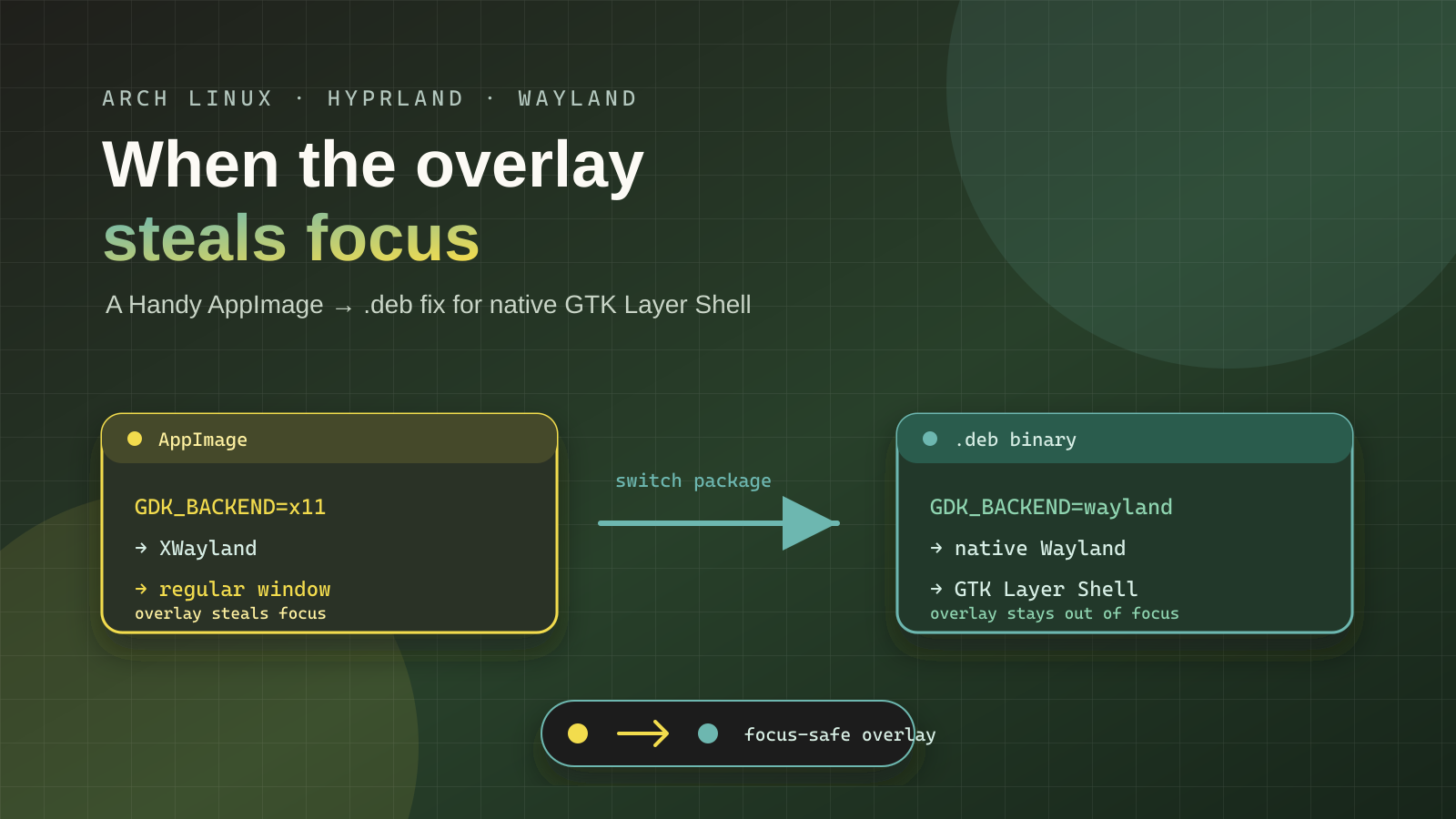
Handy was installed as an AppImage. The Tauri AppImage runtime hardcodes GDK_BACKEND=x11 via its linuxdeploy-plugin-gtk.sh hook, overriding any user-set GDK_BACKEND=wayland. This forces Handy to run under XWayland instead of native Wayland.
Handy’s overlay uses GTK Layer Shell (zwlr_layer_shell_v1), which is a Wayland-only protocol. Under XWayland, gtk_layer_shell::is_supported() returns false, so the overlay falls back to a regular GTK window. Regular windows steal focus when shown, breaking the paste-back flow.
Tauri bug: tauri-apps/tauri#15781
Evidence
Log line with AppImage:
GTK layer shell not available, falling back to regular windowHyprland window property with AppImage:
"xwayland": trueFix
Switch from the AppImage to the .deb package binary, which links against system libraries and runs natively on Wayland. On Arch Linux, the .deb can be extracted and installed manually without dpkg.
Prerequisites
# Install openblas (required by Handy .deb binary)
sudo pacman -S openblas

# These should already be installed on a Hyprland system:
# gtk-layer-shell, webkit2gtk-4.1, gtk3, wayland
Installation Steps
# 1. Download the .deb
cd /tmp
curl -fL -o handy.deb \
  'https://github.com/cjpais/Handy/releases/download/v0.9.7/Handy_0.9.7_amd64.deb'

# 2. Extract the .deb
ar x handy.deb
mkdir data
tar xf data.tar.gz -C data

# 3. Kill the running AppImage if active
pkill -x handy

# 4. Backup the AppImage
mv ~/.local/bin/handy ~/.local/bin/handy.appimage.bak

# 5. Install the binary and libraries
install -m 0755 data/usr/bin/handy ~/.local/bin/handy
mkdir -p ~/.local/lib/Handy
cp -a data/usr/lib/Handy/. ~/.local/lib/Handy/

# 6. Verify all libraries resolve
ldd ~/.local/bin/handy | grep 'not found'  # should print nothing

# 7. Start Handy
nohup ~/.local/bin/handy >/tmp/handy.log 2>&1 &
Why This Works
The .deb binary has RUNPATH = $ORIGIN/../lib/Handy:$ORIGIN/../lib, so it finds its bundled libraries (ggml, transcribe, onnxruntime, resources) at ~/.local/lib/Handy/ relative to the binary at ~/.local/bin/handy.
System libraries (GTK, WebKitGTK, gtk-layer-shell, Wayland, openblas) resolve through ldconfig to /usr/lib/, meaning Handy uses the system’s native Wayland-enabled GTK — no AppImage hook to override GDK_BACKEND.
Verification
# Should show xwayland: false (native Wayland)
hyprctl clients -j | python -c '
import json,sys
for x in json.load(sys.stdin):
    if x.get("class","").lower() == "handy":
        print(f"xwayland={x[\"xwayland\"]}")
'

# Should show "GTK layer shell initialized for overlay window"
grep 'layer shell' ~/.local/share/com.pais.handy/logs/handy.log | tail -1
Overlay Configuration
Enable the overlay in Handy’s settings (Settings → Advanced → Overlay Style):
- None — overlay hidden (default on Linux)
- Minimal — small pill showing recording state
- Live — pill with live transcription text
Or set it directly in the settings file:
python -c '
import json
p = "~/.local/share/com.pais.handy/settings_store.json"
p = p.replace("~", __import__("os").path.expanduser("~"))
with open(p) as f: d = json.load(f)
d["settings"]["overlay_style"] = "minimal"  # or "live" or "none"
with open(p, "w") as f: json.dump(d, f, indent=2)
'
Then restart Handy.
Hyprland Autostart
In ~/.config/hypr/autostart.conf:
exec-once = uwsm-app -- /home/rio/.local/bin/handyHyprland Keybinding
In ~/.config/hypr/bindings.conf:
unbind = CTRL, SPACE
bindd = CTRL, SPACE, Toggle Handy transcription, exec, /home/rio/.local/bin/handy --toggle-transcription
Reload with hyprctl reload.
Cleanup
# Remove the AppImage backup once confirmed working
rm ~/.local/bin/handy.appimage.bak

# Remove the extracted .deb files
rm -rf /tmp/handy.deb /tmp/data /tmp/squashfs-root
Summary
| AppImage | .deb binary | |
|---|---|---|
GDK_BACKEND |
Forced to x11 by Tauri hook |
Respects system default (wayland) |
| Window type | XWayland (xwayland: true) |
Native Wayland (xwayland: false) |
| GTK layer shell | Not available | Initialized |
| Overlay | Regular window (steals focus) | Layer shell surface (no focus stealing) |
| Libraries | Bundled (isolated from system) | System libraries via ldconfig |